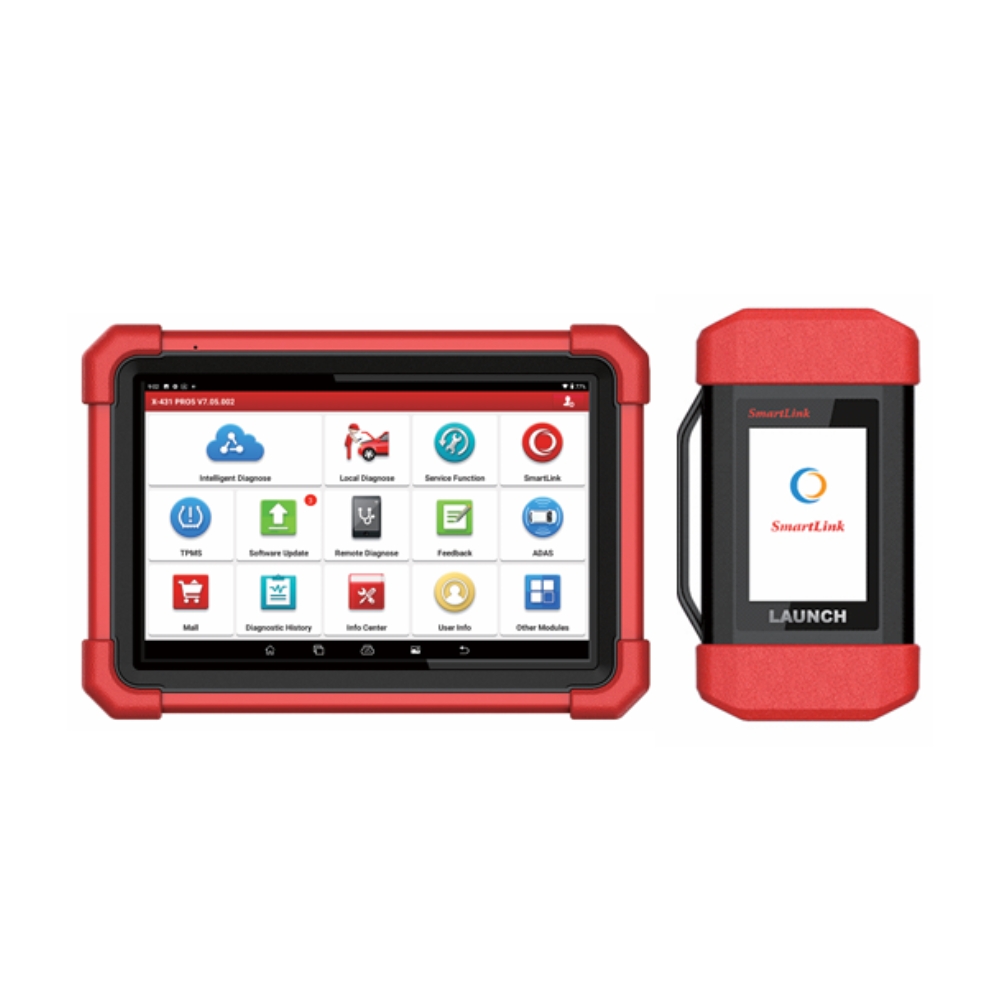
Posted on

What Is Bi-Directional Control in a Scan Tool?

Car Repair

Bi-directional control is one of the most useful functions in a professional automotive scan tool. It allows a diagnostic scanner to send commands to a vehicle system, not just read information from it.

In simple terms, a basic scan tool can listen to the vehicle. A scan tool with bi-directional control can also talk back to the vehicle.

For Australian workshops, this function can make diagnostics faster and more accurate. Instead of only reading a fault code and guessing what might be wrong, technicians can use active tests to command certain components, observe the response and confirm whether a system is working as expected.

Many professional LAUNCH scan tools Australia support bi-directional control, also known as active tests, depending on the vehicle, system and software coverage.

What Does Bi-Directional Control Mean?

Bi-directional control means two-way communication between the scan tool and the vehicle’s control modules.

With normal diagnostics, the scanner receives information from the vehicle. This may include diagnostic trouble codes, live data, freeze frame data or module status. With bi-directional control, the scanner can also send a command to the vehicle module and ask it to perform a specific action.

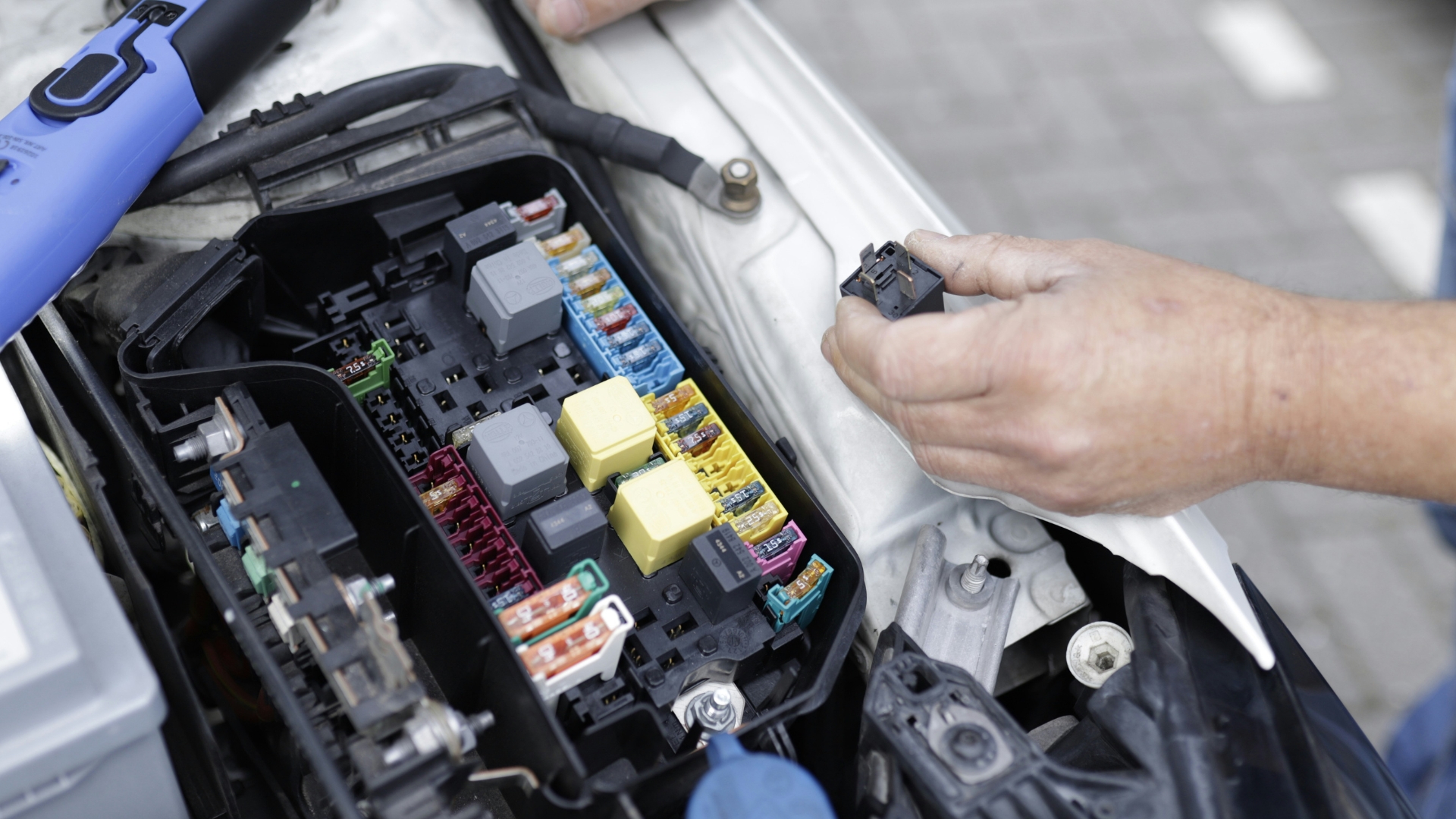
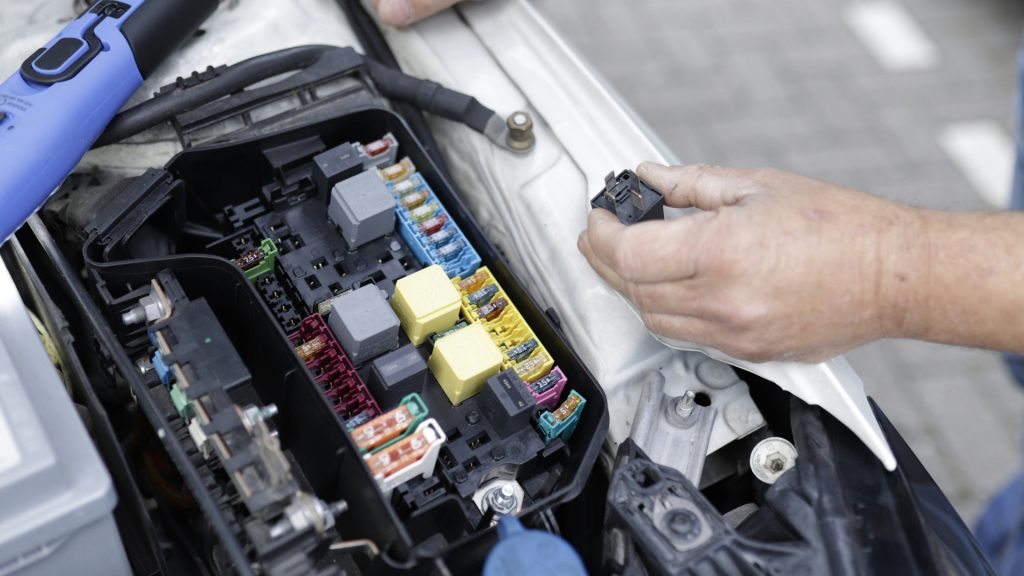
For example, a technician may use the scan tool to command a cooling fan to turn on, activate a fuel pump relay, cycle an ABS pump, operate an EGR valve, trigger an EVAP purge solenoid or test an electronic parking brake function.

This helps the technician check whether the component, wiring, module command and system response are working correctly.
Car Repair

Why Is Bi-Directional Control Useful?

Bi-directional control is useful because it helps workshops test systems without relying only on fault codes.

A fault code can point the technician in the right direction, but it does not always tell the full story. A code may relate to a sensor, actuator, circuit, module, voltage issue or communication problem. Active tests can help narrow down the cause.

For example, if a cooling fan does not operate during normal driving, a technician can use a scan tool to command the fan on. If the fan responds, the motor and circuit may be capable of working, and the issue may be related to temperature input, control logic or another condition. If it does not respond, the technician can continue checking power, ground, relay operation, wiring or the fan assembly itself.

This can reduce guesswork, save diagnostic time and help avoid replacing parts unnecessarily.

Common Active Tests Workshops May Use

The available active tests depend on the vehicle make, model, system and scan tool coverage. However, common examples may include:

  • Turning cooling fans on and off
  • Activating fuel pumps or fuel pump relays
  • Testing EVAP purge and vent solenoids
  • Operating EGR valves or throttle actuators
  • Commanding ABS pump or solenoid tests
  • Testing electronic parking brake operation
  • Activating injectors or ignition-related functions where supported
  • Operating door locks, windows or body control functions
  • Testing air conditioning clutch or HVAC actuators
  • Running selected DPF, battery, steering or service-related procedures

These functions are especially helpful when diagnosing intermittent faults, electrical faults, actuator issues and system communication problems.

Bi-Directional Control vs Live Data

Live data and bi-directional control are often used together, but they are not the same thing.

Live data shows what the vehicle is reporting. For example, a technician may view coolant temperature, oxygen sensor readings, fuel trims, wheel speed data or battery voltage.

Bi-directional control allows the technician to command an action. For example, the scanner may ask a component to switch on, open, close, cycle or perform a test.

Used together, these functions are powerful. A technician can command a component and then watch the live data response to confirm whether the system reacts correctly.

Bi-Directional Control Is Not the Same as Coding or Programming

It is also important to understand what bi-directional control is not.

Bi-directional control is mainly used for testing and commanding components during diagnosis. Coding and programming are different functions. Coding may change configuration or adaptation settings, while programming may involve writing software or data to a module where supported.

Some advanced diagnostic tools support bi-directional control, coding and programming, but they should not be treated as the same function. For most workshops, bi-directional control is a practical day-to-day diagnostic feature, while coding and programming are more advanced procedures that require extra care, correct information and stable workshop conditions.

When Should a Workshop Use Bi-Directional Control?

Workshops may use bi-directional control when they need to confirm whether a component or system can respond to a command.

Common use cases include:

  • Checking whether an actuator works before replacing it
  • Confirming whether a control module can command a component
  • Testing wiring, relays and power supply paths
  • Comparing commanded action with live data response
  • Running post-repair checks after replacing parts
  • Verifying service functions after maintenance work

This is especially valuable for modern vehicles, where multiple systems may interact with each other. A simple warning light may involve engine, transmission, ABS, body control, steering or ADAS-related systems.

What Are the Limitations?

Bi-directional control is powerful, but it is not available for every function on every vehicle.

Availability depends on the vehicle manufacturer, model, year, system, control module, software coverage and diagnostic tool capability. Some vehicles allow many active tests, while others provide limited command access. Some functions may also require special conditions, such as correct battery voltage, ignition state, engine temperature, gear position or safety requirements.

Technicians should always follow safe workshop procedures when using active tests. A commanded component may move, switch on, build pressure, activate a motor or change vehicle behaviour. The vehicle should be secured, the work area should be clear and the technician should understand what the function is expected to do before running the test.

Which LAUNCH Scan Tools Support Bi-Directional Control?

Many professional LAUNCH X-431 scan tools support bi-directional control, depending on the model and vehicle coverage.

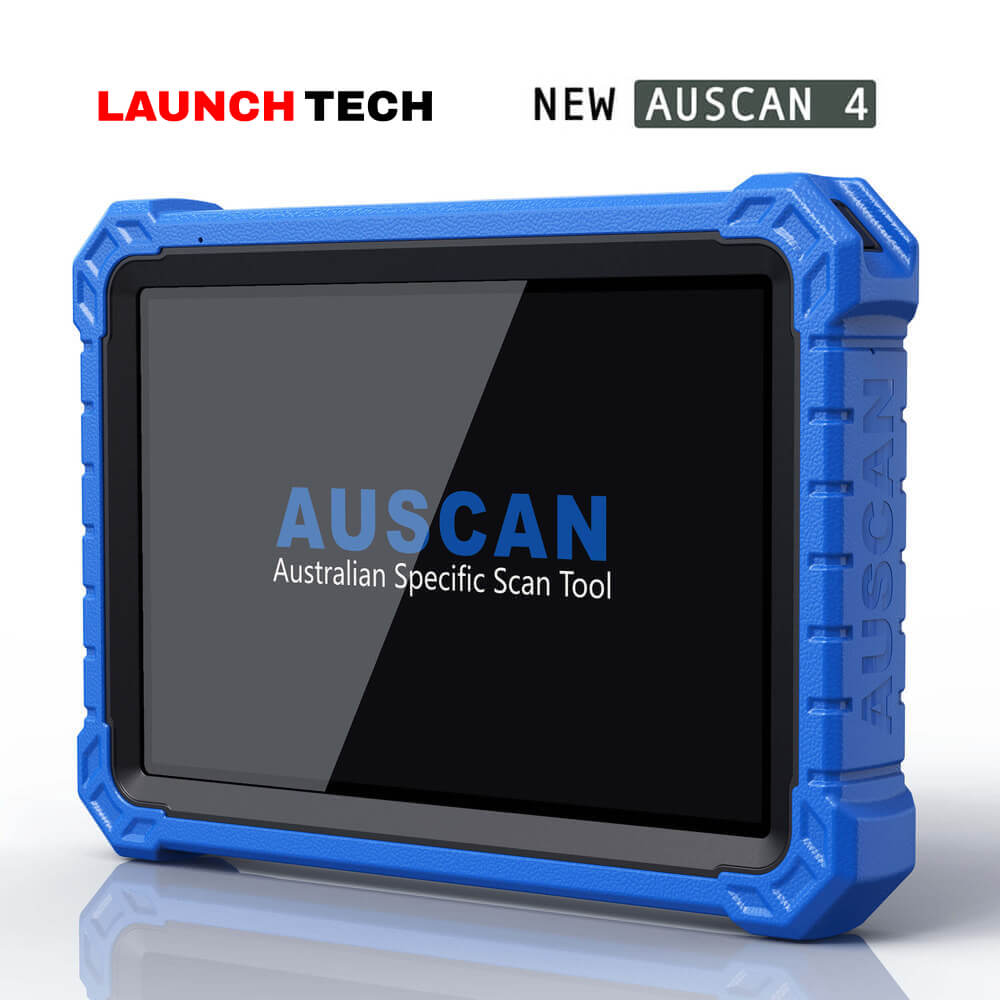
For workshops looking for a capable all-round diagnostic tool, the AUSCAN 4 supports full-system diagnostics, bi-directional control, service functions, coding and guided functions, with optional software expansion for workshops that want more flexibility.

For entry-level technicians or workshops looking for professional functions, the X-431 PRO SE includes full diagnostic functionality such as reading and clearing DTCs, live data streaming, bi-directional control, remote diagnosis and coding.

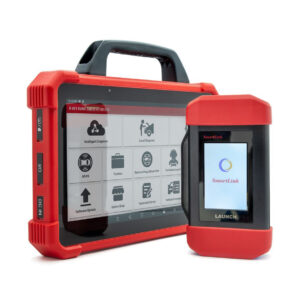
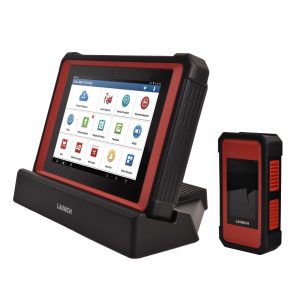
For workshops that need a more advanced professional tablet, the X-431 PAD5 Link supports full-system diagnostics, topology mapping, bi-directional control, coding, programming, service functions, ADAS-ready capability and optional extended modules.

For high-end workshops wanting flagship performance, the X-431 PAD9 Link offers advanced functions including bi-directional control, topology mapping, high-speed system scanning, SGW access, live data graphing and optional commercial vehicle and new energy vehicle coverage.

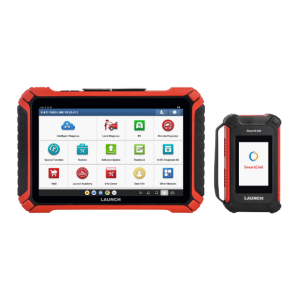
For workshops that work across both passenger vehicles and trucks, AUSCAN Smart is designed for car and truck diagnosis, with functions such as read/clear DTCs, live data streaming, bi-directional control, coding and programming.

AuscanSmart for both passenger and heavy duty vehicles

How to Choose a Scan Tool With Bi-Directional Control

When choosing a scan tool with bi-directional control, do not look at the feature name alone. Look at how the tool fits your workshop’s real work.

Consider these questions:

  • What vehicle brands do you service most often?
  • Do you need passenger vehicle, commercial vehicle or heavy-duty coverage?
  • Do you need full-system diagnosis, or mainly engine and service functions?
  • Do you need active tests only, or also coding, programming, ADAS, TPMS or EV support?
  • How important are software updates and local technical support?
  • Will the tool support the type of diagnostic jobs you want to take on in the future?

Modern workshops also need access to accurate service and repair information. In Australia, the ACCC Motor Vehicle Information Scheme explains how Australian repairers can access service and repair information, while the Australian Automotive Service and Repair Authority provides access pathways for manufacturer repair information.

Final Thoughts

Bi-directional control is one of the key differences between a basic code reader and a professional workshop diagnostic scan tool. It allows technicians to command vehicle components, run active tests and confirm system response during diagnosis.

For Australian workshops, this can help reduce guesswork, improve diagnostic accuracy and support more professional repair workflows. Whether you are checking a cooling fan, testing an ABS function, confirming an actuator response or completing post-repair checks, bi-directional control gives technicians more control over the diagnostic process.

If your workshop is comparing diagnostic scanners, choose a tool based on vehicle coverage, active test capability, service functions, software updates and local support. For help selecting the right scan tool, contact the Launch Tech Australia team.
Posted on

How to Choose the Right LAUNCH Scan Tool for Your Workshop

LaunchTech Auscan4a

Choosing the right diagnostic scan tool is not just about buying the most expensive model. The best choice depends on your workshop size, the vehicles you service, the functions you use every day and the type of work you want to take on in the future.

At Launch Scan Tools Australia, workshops can compare a wide range of LAUNCH X-431 diagnostic scanners, AUSCAN scan tools and professional workshop diagnostic solutions. The goal is simple: choose a tool that matches your real workflow, not just a long list of features.

This guide breaks down common workshop needs and matches them with suitable LAUNCH scan tools for Australian workshops.

Start With Your Workshop Use Case

Before choosing a LAUNCH scan tool, ask what you need the tool to do most often.

  • Do you mainly service passenger vehicles?
  • Do you need full-system diagnostics and service resets?
  • Do you work with European vehicles that need coding, guided functions or advanced diagnostics?
  • Do you service trucks, buses, machinery or mixed fleets?
  • Do you want to expand into ADAS, EV, programming or remote diagnosis?
  • Do you need a tool that can grow with your workshop over the next few years?

Once you know your use case, choosing the right scan tool becomes much easier.

Quick Product Match by Workshop Need

Workshop Need Recommended LAUNCH Scan Tool Best Fit
General mechanical workshop needing strong all-round coverage AUSCAN 4 Passenger vehicle diagnostics, service functions, coding, optional add-on software
Workshop focused on advanced European diagnostics X-431 EURO TAB III Top-end diagnostic work, topology mapping, coding, programming, DoIP, CAN FD and J2534 support
Professional workshop wanting a balanced high-end tablet X-431 PAD5 Link Full-system diagnostics, ADAS-ready work, coding, programming, service functions and charging dock setup
Busy workshop wanting flagship performance and future-ready coverage X-431 PAD9 Link High-speed scanning, passenger cars, optional commercial vehicles, optional new energy vehicles, SGW access and advanced functions
Truck, bus, machinery, mining, farming or construction diagnostics AUSCAN HD Heavy-duty 12V/24V diagnostics, engine, transmission, ABS, auxiliary systems and fleet work

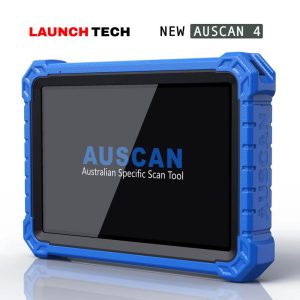
For General Workshops: AUSCAN 4

If your workshop mainly services passenger vehicles and needs a strong professional diagnostic tool, AUSCAN 4 is a practical all-round choice.

It suits workshops that need full-system diagnostics, service resets, coding, guided functions, vehicle coverage across common Australian, Asian, European and American makes, and the flexibility to add optional software such as truck, agriculture, machinery, motorcycle, EV, online programming and ADAS functions.

This makes AUSCAN 4 a good fit for workshops that want one main scan tool for daily diagnostic work, with room to expand later.

LaunchTech Auscan4a

For European and Advanced Diagnostic Work: X-431 EURO TAB III

If your workshop regularly works on European vehicles or needs a more advanced diagnostic platform, the X-431 EURO TAB III is designed for higher-end work.

It is suitable for technicians who need topology mapping, advanced coding, programming, CAN FD, DoIP, J2534 support, guided diagnosis and broad vehicle coverage. It is also a strong option for workshops that want a large-screen diagnostic tablet with advanced workflow support.

This is the type of scan tool to consider when your workshop wants to handle more complex vehicle systems rather than only basic fault-code reading.

For Professional All-Round Use: X-431 PAD5 Link

The X-431 PAD5 Link is a strong choice for professional workshops that want a capable diagnostic tablet with advanced functions but do not necessarily need the newest flagship model.

It suits workshops that need full-system diagnostics, bi-directional control, coding, programming, service functions, ADAS-ready capability, TPMS support, remote diagnosis options and a practical charging dock setup.

For many workshops, this sits in the sweet spot between daily diagnostic use and advanced repair capability.

For Flagship Performance: X-431 PAD9 Link

The X-431 PAD9 Link is better suited to busy workshops, advanced diagnostic specialists and businesses that want a future-ready scan tool.

It offers high-speed multi-channel system scanning, topology mapping, advanced coding and programming, SGW access, bi-directional control, live data graphing, wireless updates and optional coverage for commercial vehicles and new energy vehicles.

If your workshop wants faster scans, broader expansion options and a higher-end diagnostic workflow, PAD9 Link is the product to consider.

For Heavy-Duty Diagnostics: AUSCAN HD

If your workshop focuses on trucks, buses, machinery, farming, mining or construction vehicles, a passenger-car scan tool may not be enough.

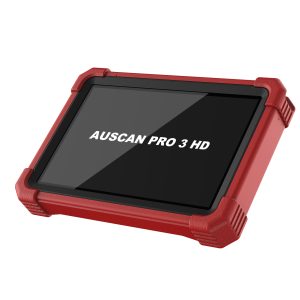
AUSCAN HD is designed for heavy-duty diagnostics and supports 12V and 24V systems. It is suitable for work involving engines, transmissions, ABS and auxiliary systems across a range of truck, bus and machinery applications.

For fleet workshops, diesel specialists and commercial vehicle repairers, AUSCAN HD is the more relevant choice than a standard passenger vehicle scanner.

Match the Tool to the Work You Want to Win

A scan tool should support the work your workshop does now, but it should also help you take on better jobs in the future.

If your workshop wants to move into ADAS calibration, look for ADAS-ready capability. If you want to service newer vehicles, consider CAN FD, DoIP and SGW support. If you plan to work with EVs or commercial vehicles, choose a platform that can expand into those areas.

Modern workshops also need access to reliable repair information, manufacturer procedures and software update pathways. The ACCC Motor Vehicle Information Scheme explains how Australian repairers can access service and repair information, while the Australian Automotive Service and Repair Authority provides access pathways for manufacturer service and repair information. For industry updates and workshop training, the Australian Automotive Aftermarket Association is also a useful resource.

Final Recommendation

There is no single best LAUNCH scan tool for every workshop. The right choice depends on your vehicle mix, diagnostic level, workshop goals and budget.

  • Choose AUSCAN 4 if you need a strong all-round workshop scanner for passenger vehicle diagnostics.
  • Choose EURO TAB III if you want top-end capability for advanced and European diagnostic work.
  • Choose AUSCAN Smart if you need one tool for both car and truck diagnosis.
  • Choose PAD5 Link if you want a professional all-round diagnostic tablet with advanced functions.
  • Choose PAD9 Link if you want flagship performance, faster scanning and future-ready expansion.
  • Choose AUSCAN HD if your work is focused on trucks, buses, machinery or fleet diagnostics.

If you are unsure which scan tool best suits your workshop, speak with the Launch Tech Australia team through the Contact Us page. We can help you compare options based on your workshop needs, vehicle coverage and long-term diagnostic goals.

Posted on

Where to Buy Genuine LAUNCH Scan Tools in Australia

When you are buying a diagnostic scan tool for your workshop, the tool itself is only one part of the decision. What matters just as much is where you buy it from.

A professional automotive diagnostic scanner is not a simple one-time purchase. Workshops rely on vehicle coverage, software updates, warranty support, technical assistance and long-term product reliability. That is why buying a LAUNCH scan tool through the official Australian distributor or an authorised dealer is important.

Launch Tech Australia is the master distributor of LAUNCH scan tools and diagnostic equipment in Australia and New Zealand. For more than 20 years, we have supplied genuine LAUNCH diagnostic scanners, X-431 scan tools, AUSCAN diagnostic tools and professional workshop equipment to mechanics, technicians and automotive businesses across the region.

Whether you are looking for an entry-level OBD2 scanner, a full-system diagnostic tool or a high-end professional workshop scanner, buying from the right source helps protect your investment.

Why LAUNCH Scan Tools Matter

Modern vehicles are more complex than ever. A workshop scan tool may need to communicate with multiple control modules, run service functions, perform active tests, read live data, support ECU coding and work across different vehicle makes.

For that reason, workshops should be careful when choosing where to buy their diagnostic equipment. A LAUNCH scan tool gives you confidence in three key areas: product authenticity, software access and after-sales support.

Non-genuine, grey-imported or unsupported tools may look similar at first glance, but they can create problems later. These may include limited support, unclear warranty coverage, software update issues, missing local assistance or difficulty getting technical help when something goes wrong.

For a professional workshop, downtime is expensive. If your scan tool cannot update, cannot connect properly or cannot be supported locally, it can affect your workflow and customer service. Buying genuine equipment through the correct channel helps reduce these risks.

The Best Place to Buy LAUNCH Scan Tools in Australia

The best place to buy a LAUNCH scan tool in Australia is through Launch Tech Australia or one of its authorised dealers and industry partners.

Launch Tech Australia supplies genuine diagnostic equipment for the Australian and New Zealand markets. The product range includes LAUNCH scan tools, OBD2 code readers, EV diagnostic solutions, ADAS calibration equipment, battery testers, workshop equipment and related accessories.

Buying through the official distributor or authorised dealer network means your tool is backed by local support, warranty assistance and product advice from a team that understands Australian workshops.

This is especially important for professional workshops that need more than basic code reading. If you are choosing a scan tool for full-system diagnostics, bi-directional control, service resets, ECU coding, commercial vehicle diagnostics, ADAS work or EV diagnostics, it is worth speaking with a local team before you buy.

Buy Through Authorised LAUNCH Dealers

Launch Tech Australia works with a network of authorised dealers and industry partners across Australia and New Zealand.

Buying through an authorised dealer gives workshops access to LAUNCH products with local backup and service. This is useful if you prefer to purchase through a tool supplier, equipment specialist or local dealer you already work with.

Before purchasing, you can visit the Launch Tech Australia Authorised Dealers page or contact the team directly to confirm whether a seller is authorised. This is a simple way to avoid unsupported products and make sure your diagnostic scanner is eligible for local assistance.

If a deal looks unusually cheap or the seller cannot clearly explain warranty, software updates or support, it is worth checking before you buy.

Launch Tech Australia & NZ's partners

What to Check Before Buying a LAUNCH Diagnostic Scanner

Before purchasing a LAUNCH scan tool in Australia, workshop owners and technicians should check a few important details.

First, confirm that the product is genuine and supplied through an official or authorised channel. This helps protect your warranty and gives you access to proper local support.

Second, check whether the scan tool suits the type of diagnostic work you perform. A basic scanner may be suitable for simple fault code reading, while a professional LAUNCH X-431 scan tool is better suited to workshops that need full-system scans, service functions, active tests, coding and broader vehicle coverage.

Third, ask about software updates. Diagnostic tools depend on updated software to support new vehicles, new systems and changing workshop requirements. The Support page includes software update guides, troubleshooting information and product resources.

Fourth, check the warranty and support process. If the tool needs service or technical assistance, it is much easier when you can contact a local Australian support team. You can also review the Launch Tech Australia Warranty Terms for more information.

Finally, make sure you understand what is included in the package. Some tools may include accessories, update periods, adapters or optional modules. If you are unsure, speak with Launch Tech Australia or an authorised dealer before purchasing.

Why Local Support Is Important for Workshops

A scan tool is used every day in many workshops. When it works well, it helps technicians diagnose problems faster and complete jobs more efficiently. When there is a problem, you need support quickly.

Local support can help with software updates, product setup, connection issues, warranty enquiries, troubleshooting and general product guidance. This is one of the main reasons workshops choose to buy LAUNCH scan tools through an official local channel.

For example, if your scan tool has an activation issue, software update problem, storage issue or connection question, having access to local product resources and support can save time. Instead of guessing or searching through unrelated information online, you can contact the team that supports LAUNCH equipment in Australia.

This matters even more for advanced diagnostic tools. Features such as bi-directional control, ECU coding, DoIP, CAN FD, ADAS calibration and EV diagnostics require more confidence than basic code reading. A professional workshop needs the right tool and the right backup behind it.

Choosing the Right LAUNCH Scan Tool for Your Workshop

The right LAUNCH scan tool depends on your workshop, your customers and the type of vehicles you service.

For simple checks and basic code reading, an OBD2 code reader may be enough. For general mechanical workshops, a full-system diagnostic scanner can provide wider access to vehicle systems and service functions. For professional workshops working on modern vehicles, a higher-end diagnostic tablet may be better suited for advanced diagnostics, coding, topology mapping, active tests and broader coverage.

If your workshop services light commercial vehicles, trucks or mixed fleets, you may also need to consider heavy-duty diagnostic capability. If you are preparing for EV diagnostic solutions or ADAS calibration equipment, you may need equipment that supports the next stage of workshop diagnostics.

Because every workshop is different, it is better to choose based on actual use case rather than only price. A cheaper tool may be suitable for basic work, but a more capable scanner can save time and support more jobs over the long term.

LaunchTech Auscan4a

LAUNCH Tools for Australian Workshop Conditions

Australian workshops work with a wide range of vehicles, including Japanese, European, Korean, Australian, American and commercial models. Many workshops also need reliable support for both older vehicles and newer models with advanced electronic systems.

Launch Tech Australia supplies scan tools and workshop equipment for local market needs. This includes professional LAUNCH X-431 scan tools, AUSCAN diagnostic tools and related workshop equipment designed for mechanics, technicians and automotive businesses across Australia and New Zealand.

When buying a scan tool, vehicle coverage should always be part of the conversation. If your workshop regularly services certain brands or vehicle types, speak with the team before choosing a tool.

Useful External Resources for Australian Workshops

Workshops are also operating in a changing repair environment. Modern diagnostics often involves access to technical data, software updates and manufacturer repair procedures. The ACCC Motor Vehicle Information Scheme explains how Australian repairers can access service and repair information under Australia’s right-to-repair framework.

The Australian Automotive Service and Repair Authority provides access pathways for genuine manufacturer service and repair information. This is useful for workshops that need accurate procedures, repair information and manufacturer data alongside their diagnostic equipment.

For broader industry updates, training and aftermarket information, workshops can refer to the Australian Automotive Aftermarket Association. For global LAUNCH product background, you can also visit the official LAUNCH TECH global website.

Where to Get Help Before Buying

If you are not sure which LAUNCH scan tool is right for your workshop, it is worth asking for product advice before purchasing.

The Launch Tech Australia team can help you compare options based on your workshop size, diagnostic requirements, vehicle coverage needs and future plans. Whether you need a compact scan tool, a professional X-431 tablet, heavy-duty diagnostic capability, ADAS equipment or EV diagnostic solutions, getting advice first can help you avoid buying the wrong tool.

You can also ask about warranty questions, product support, software update information and authorised dealer enquiries through the Contact Us page.

Final Advice: Buy Genuine, Buy Supported

A diagnostic scan tool is an important investment for any modern workshop. It affects how quickly you can identify faults, complete service work, support customers and keep up with changing vehicle technology.

If you are looking for LAUNCH scan tools in Australia, the safest option is to buy from Launch Tech Australia or an authorised dealer. This gives you access to genuine products, local warranty support, technical assistance and product advice from a team that understands Australian and New Zealand workshops.

Before you buy, check that the product is genuine, confirm the seller is authorised and make sure the scan tool suits your workshop’s diagnostic needs.