Modern vehicles contain more control modules, sensors and connected systems than ever before. As the amount of data moving through a vehicle increases, diagnostic tools must be able to communicate using newer and faster protocols.
Two terms that now appear regularly in scan tool specifications are CAN FD and DoIP. Both are used for vehicle communication, but they work differently and solve different problems.
For Australian workshops servicing newer passenger cars, European vehicles, commercial vehicles and increasingly complex electronic systems, understanding these protocols can help when choosing a professional diagnostic scanner. Many LAUNCH scan tools in Australia now support CAN FD, DoIP or both, depending on the model, VCI and required accessories.
What Is CAN FD?
CAN FD stands for Controller Area Network with Flexible Data-rate. It is an extension of the traditional CAN communication system that has been widely used in vehicles for many years.
Traditional CAN allows control modules to exchange small packets of information reliably. However, newer vehicles generate and process much more data, so the original CAN format can become a limitation.
According to the official Bosch CAN FD technical overview, CAN FD increases the maximum data carried in one frame from 8 bytes to 64 bytes. It can also switch to a higher bit rate during the data section of the message.
In practical workshop terms, CAN FD allows compatible vehicle modules and diagnostic equipment to exchange more information efficiently while retaining many of the familiar characteristics of a CAN network.
Why Do Newer Vehicles Use CAN FD?
Vehicle networks now need to support systems such as advanced driver assistance, powertrain management, battery systems, digital instrument displays, body control functions and connected safety features.
These systems may exchange more data than older vehicle electronics. CAN FD helps manufacturers manage that increased communication demand without replacing the entire CAN-based architecture.
For a workshop, CAN FD support matters because a scanner that only supports traditional CAN may not be able to communicate correctly with every module on a newer CAN FD-equipped vehicle.
A compatible CAN FD scan tool may be required for:
- Accessing supported control modules on newer vehicles
- Completing full-system diagnostic scans
- Reading and clearing manufacturer-specific fault codes
- Viewing live data from compatible systems
- Running active tests and service functions
- Performing coding or programming procedures where supported
CAN FD support does not automatically mean that every function will be available on every vehicle. Coverage still depends on the vehicle make, model, year, control module and diagnostic software.
What Is DoIP?
DoIP refers to diagnostic communication over Internet Protocol. It allows diagnostic information to travel using IP-based networking, commonly over automotive Ethernet.
The word “Internet” can be misleading. DoIP does not mean that a vehicle must be connected to the public internet for diagnosis. It means the diagnostic communication uses the same underlying Internet Protocol technology found in computer networks.
The official ISO 13400-2 DoIP standard defines communication between diagnostic test equipment and vehicle systems using IP, TCP and UDP. It also covers areas such as discovering a vehicle on the network, establishing a connection and routing diagnostic data through the vehicle gateway.
DoIP can provide a higher-capacity communication path for operations that involve larger amounts of diagnostic data.
Why Is DoIP Important for Workshops?
As vehicle software becomes more complex, workshops may need to transfer larger files or communicate with multiple modules during diagnosis and repair.
DoIP can be useful for supported tasks such as:
- Fast full-vehicle scanning
- Communicating with Ethernet-based vehicle gateways
- Transferring larger diagnostic data sets
- ECU coding or software operations where supported
- Working with newer vehicle electrical architectures
- Accessing modules that require a DoIP connection
The AUTOSAR Diagnostic over IP specification describes how DoIP is integrated into standardised automotive software architecture. This reflects the growing role of Ethernet and IP-based communication in modern vehicles.
DoIP does not necessarily replace CAN or CAN FD. A vehicle may use DoIP to communicate with a central gateway, while individual systems behind that gateway continue to communicate through CAN-based networks.
CAN FD vs DoIP: What Is the Difference?
| Feature | CAN FD | DoIP |
|---|---|---|
| Full name | Controller Area Network with Flexible Data-rate | Diagnostic communication over Internet Protocol |
| Network type | Enhanced CAN-based vehicle network | IP-based communication, commonly over automotive Ethernet |
| Main purpose | Carry more data at a faster rate than traditional CAN | Provide a high-capacity path for vehicle diagnostics |
| Typical workshop relevance | Accessing modules and diagnostic functions on CAN FD-equipped vehicles | Fast scanning, gateway communication and data-intensive diagnostic procedures |
| Tool requirement | CAN FD-compatible VCI and software | DoIP-compatible VCI, software and sometimes a separate cable |
The two protocols are not competitors. A professional diagnostic tool may need to support both because different vehicles and systems use different communication methods.
Does Every Workshop Need CAN FD and DoIP?
Not every workshop needs these protocols for every job. A workshop mainly servicing older vehicles may still complete most daily work using traditional CAN and OBD2 communication.
However, CAN FD and DoIP support becomes increasingly relevant when a workshop:
- Regularly services newer passenger vehicles
- Works on late-model European vehicles
- Performs full-system diagnostics rather than basic engine code reading
- Handles ECU coding, programming or module replacement
- Wants to expand into newer diagnostic work
- Needs a scan tool that will remain useful as vehicle technology develops
If a vehicle requires a protocol that the scanner or VCI does not support, some modules may be unavailable or certain functions may not operate correctly.
What Does a Workshop Need to Use These Protocols?
Protocol support involves more than the diagnostic tablet itself. The complete setup may include:
- A compatible diagnostic scanner
- A VCI that supports CAN FD or DoIP
- Current diagnostic software
- The correct vehicle cable or adapter
- A stable wired or wireless connection
- A suitable battery support unit for coding or programming work
Some scanners include direct DoIP capability through their supplied VCI, while other models require an additional DoIP cable. Workshops should check the complete product package rather than assuming that every function is built into the tablet.
LAUNCH Scan Tools With CAN FD and DoIP Support
Launch Tech Australia offers several workshop diagnostic tools that support these newer communication protocols.
AUSCAN 4 diagnostic scanner uses the DBSCar VII VCI, which supports CAN, CAN FD and DoIP. An additional cable is required for DoIP communication. It is suited to general workshops that need broad passenger vehicle coverage, full-system diagnosis and room to expand into additional software.
X-431 PRO SE is an accessible professional option for workshops moving beyond basic fault-code diagnosis. Its VCI supports CAN and CAN FD, with an additional cable required for DoIP.
X-431 PAD5 Link supports CAN, CAN FD and DoIP through its Smartlink VCI. It is designed for workshops that need broader vehicle coverage, topology mapping, advanced diagnostics, coding and optional light, medium and heavy-duty capability.
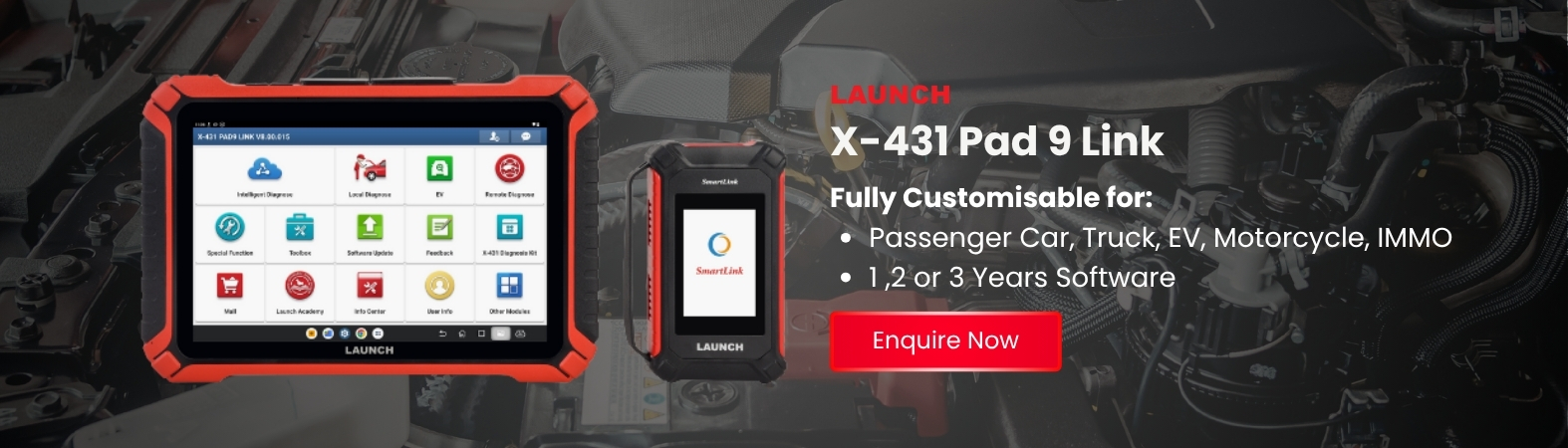
X-431 PAD9 Link supports CAN, CAN FD, DoIP and J2534. It also offers multi-channel high-speed scanning, topology mapping and advanced coding and programming functions, making it suitable for busy workshops and diagnostic specialists.
X-431 EURO TAB III uses a Smartlink C VCI that supports CAN FD, DoIP, J2534, D-PDU and RP1210. It is particularly relevant to workshops handling advanced European diagnostics, programming and wider professional diagnostic work.
What to Check Before Buying a CAN FD or DoIP Scan Tool
When comparing diagnostic equipment, look beyond a simple protocol logo on the product page.
Check whether:
- The supplied VCI supports the required protocol
- A separate DoIP cable or adapter is needed
- The vehicle brands you service are covered
- The required diagnostic functions are available for those vehicles
- Software updates are current
- Coding or programming requires additional subscriptions
- Local technical support is available
A scanner may support CAN FD or DoIP at the hardware level, but actual diagnostic access still depends on the vehicle software and manufacturer implementation.
Why These Protocols Matter for the Future of Workshop Diagnostics
Vehicle diagnosis is moving beyond simple code reading. Workshops increasingly need to work with network gateways, larger data streams, advanced driver assistance systems, electronic module replacement and software-based vehicle functions.
CAN FD helps improve communication within CAN-based vehicle networks, while DoIP provides an IP-based route for faster and more data-intensive diagnostic communication. Supporting both gives a workshop better access to the electronic systems used across newer vehicle platforms.
This does not mean every workshop must immediately replace its existing diagnostic equipment. It does mean that CAN FD and DoIP should be considered when purchasing the next professional scan tool, especially if the workshop expects to service newer vehicles over the coming years.
Final Thoughts
CAN FD and DoIP are two important automotive communication technologies, but they serve different purposes.
CAN FD extends traditional CAN communication by allowing larger data payloads and a faster data phase. DoIP uses IP-based networking to create a higher-capacity diagnostic communication path, commonly through automotive Ethernet.
For Australian workshops, the practical question is not which protocol is better. It is whether the diagnostic scanner, VCI, software and cables support the vehicles entering the workshop.
Before choosing a scanner, review the vehicle coverage and protocol requirements carefully. You can also use the Launch Tech Australia support resources or speak with the team through the online enquiry page for product and compatibility advice.